In today’s competitive digital landscape, engaging and converting visitors into leads requires innovative strategies. Quizzes have emerged as one of the most effective tools for this purpose, offering a fun and interactive way for businesses to engage users while capturing valuable information. But with so many quiz maker tools available, how do you choose the right one for your needs?
We’ve reviewed seven of the top quiz maker tools to help you make an informed decision:
- Interact
- Woorise
- Thrive Quiz Builder
- Involve
- Typeform
- Riddle
- YouEngage
1. Interact
Best for: Beginners and small businesses looking for pre-made templates
Interact is one of the most popular quiz maker tools, specifically designed for lead generation. It offers a wide variety of quiz templates that can be customized to match your brand and integrated seamlessly with email marketing tools like Mailchimp, ActiveCampaign, and HubSpot.

Stands out for: Its highly visual drag and drop editor makes it super-easy to match your quiz takers’ answers to results and it has an extensive library of 800+ customizable templates. Categorized by niche, these templates are geared specifically for conversion, making them ideal for businesses looking to capture leads efficiently.
Customizable Quizzes: While many quiz makers offer just a handful of pre-designed quizzes, Interact allows users to access an impressive range of Buzzfeed-style category quizzes as well as other formats like personality, scored, and assessment quizzes. Every template is fully customizable, from the questions and answers to the colours, fonts, images, logos, and results pages, giving you total control over branding and design.
Branching Logic and Personalization: The drag-and-drop branching logic builder enables quiz creators to map out personalized user experiences. This means you can present different questions based on a quiz taker’s previous answers, creating a more interactive and tailored experience. If someone says they are a coffee lover, for instance, they won’t be asked questions about tea, making it much more relevant and engaging.
Lead Generation and Integrations: You can add a customizable email sign-up form to each quiz to collect leads, and these leads can be automatically sent to your other marketing tools via 30+ native integrations, including Mailchimp, Hubspot, ActiveCampaign, and Klaviyo. Although the Lite plan limits users to 500 leads, the more advanced plans offer greater capacity.
Analytics and Performance Tracking: Interact provides comprehensive built-in analytics, allowing you to track quiz performance metrics such as views, starts, completions, leads, and conversions. You can drill down into how quiz takers interact with individual questions and view drop-off rates and audience insights, helping you refine and optimize your quiz over time. The integration with Google Analytics adds another layer of detail, showing where quiz takers are being referred from and how they interact with your website post-quiz.
Key Features:
- Manual & AI Quiz Creation: You can either build your quiz manually or leverage Interact’s AI-powered writing tool to generate a quiz quickly.
- Branching Logic: Use the visual drag-and-drop editor to personalize quiz questions based on responses.
- Lead Management: Download collected leads or automatically send them to integrated marketing platforms.
- GDPR Compliance: All quizzes built on Interact meet GDPR standards.
Pros:
- Extensive template library with over 800+ pre-built options that can be fully customized.
- Powerful analytics offering deep insights into quiz performance.
- Ideal for building lead generation quizzes and segmenting your audience based on their answers.
- Excellent for conversion-focused quizzes, directing users to specific web pages based on results.
Cons:
- The Lite plan only allows for 500 email leads, which may not provide the best value for larger campaigns.
- White-labelling is unavailable on the Lite plan, limiting brand customization for users on lower-tier subscriptions.
- Pricing: Interact isn’t as affordable as some competitors, particularly for smaller businesses or startups with tight budgets.
Pricing: Starts at $27 per month, for up to 6000 email leads per year. 14-day free trial.
Conclusion: Interact is a powerful and highly customizable tool for creating lead generation quizzes, with standout features like an extensive template library, advanced analytics, and intuitive branching logic. While the Lite plan may limit its value for users needing higher lead capacity, Interact remains one of the best options for beginners, solopreneurs and smaller businesses.
2. Woorise
Best for: Businesses needing an all-in-one lead generation tool
Woorise is not just a quiz builder but a complete platform for lead generation campaigns. In addition to quizzes, Woorise supports forms, surveys, and giveaways, making it a versatile tool for businesses looking to build their email list through multiple types of interactive content.

It has an easy-to-use interface and offers a range of quiz types, including assessment, scored, and personality quizzes. Although it has a limited range of templates, it is simple to use.
Customizable Quizzes and Templates: Woorise offers just six quiz templates, including product recommendation, but these are fully customizable. Creating quizzes is straightforward with the drag-and-drop editor. If you use WordPress, there is a plugin, making it easy to publish quizzes directly on your website. In addition to quizzes, Woorise supports the creation of other lead generation campaigns, including viral giveaways, surveys, landing pages, and forms, making it a powerful and feature-rich platform for growing businesses.
Branching Logic and Conditional Questions: Like Interact, Woorise includes branching logic, allowing you to tailor your quiz questions based on previous responses and it has a built-in calculator that allows for dynamic scoring, useful if your quiz results depend on cumulative scores.
Lead Capture and Integrations: Woorise allows you to easily capture leads by adding customizable lead forms to your quizzes. The software integrates with dozens of email marketing platforms such as ActiveCampaign, ConvertKit, HubSpot, and Klaviyo. However, the free plan limits you to just 200 quiz submissions per month and does not include integrations or email lead capture. While the Pro plan offers unlimited campaigns and entries, it comes with a higher price tag, making it less affordable for smaller businesses.
Analytics and Performance Tracking: Analytics are relatively basic compared to some other platforms, allowing you to track views, starts, completions, and leads. Although the metrics are less advanced than some other platforms, they are easy to understand and give enough information to help you refine your quizzes.
Flexible Quiz Publishing: If you don’t have your own website, Woorise gives you the option to host and publish your quizzes on one of its own subdomains. If you do have your own website, there are a range of ways to publish your quiz: embed it on a landing page, pop-up, or inside an email campaign.
Additional Features: Woorise does more than create quizzes. As a complete lead generation platform, it not only supports giveaways, polls and contests, but also checkout pages and order forms, making it possible to accept payments for products and services.
Key Features:
- Multiple Quiz Types: Create personality, scored, and assessment quizzes.
- Drag-and-Drop Builder: Fully customizable quizzes with an intuitive editor.
- Lead Capture: Capture leads with customizable forms and send results via email.
- Conditional Logic: Show questions based on previous answers.
- Integrations: Integrates with major marketing platforms like ActiveCampaign, Mailchimp, and Klaviyo.
- Other Campaigns: Supports surveys, giveaways, landing pages, and more.
- Payments: Accept payments by creating checkout pages or order forms.
Pros:
- Beginner-friendly interface with drag-and-drop functionality.
- Includes templates for various campaigns beyond quizzes, such as giveaways and contests.
- Seamless integration with multiple email marketing platforms.
- Offers unlimited campaigns on all plans, including the free one.
- WordPress plugin for easy quiz publishing on your website.
Cons:
- Limited to only six quiz templates.
- Free plan restricts quiz entries to just 200 submissions per month.
- Pro plan is quite pricey if you have larger lead generation needs.
- No white-labelling option on lower-tier plans, which limits branding options.
Pricing: Plans start at €23 per month for up to 1000 entries.
Conclusion: Woorise is a good choice for businesses wanting a simple but powerful quiz maker, with flexible publishing options, integrated into a broader marketing strategy.
3. Thrive Quiz Builder
Best for: The Go-To Quiz Maker for WordPress Users
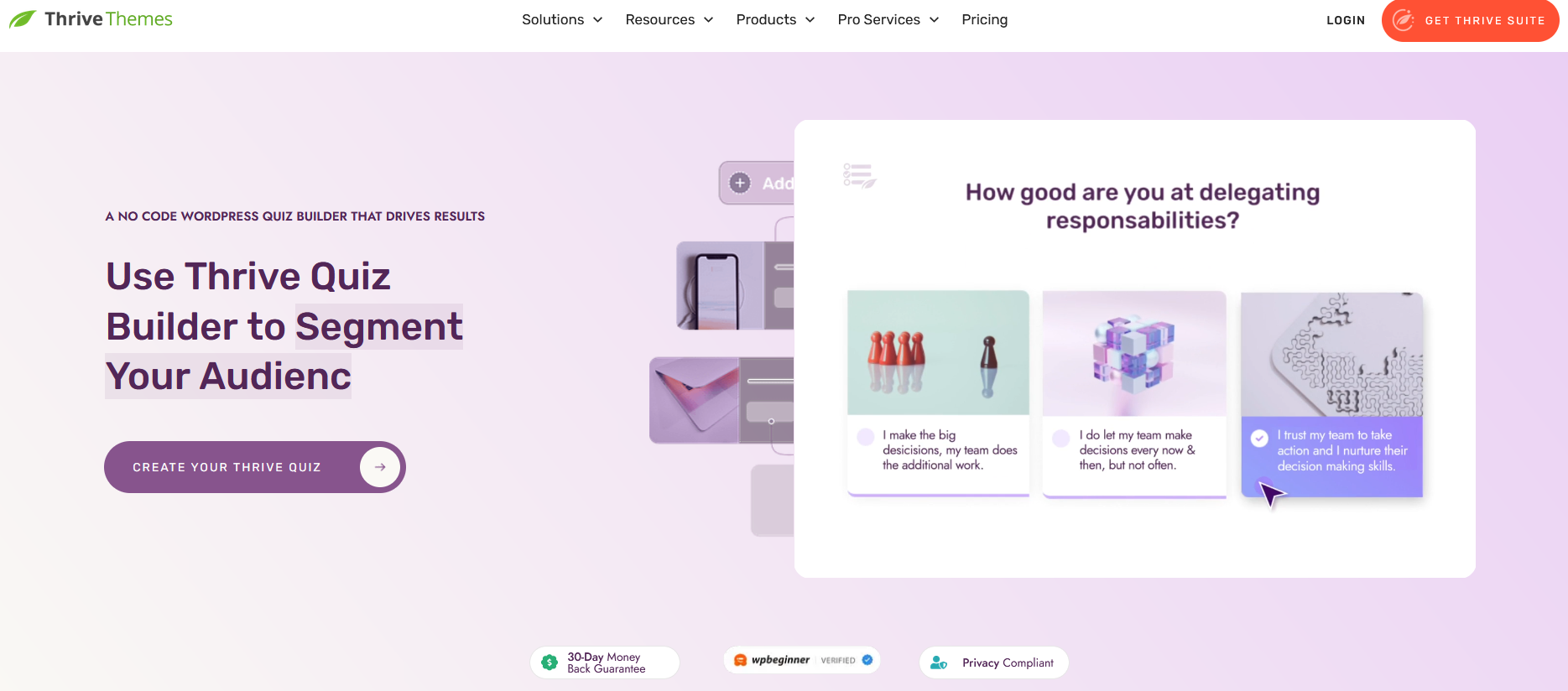
If you’re a WordPress user looking to create engaging quizzes directly within your website, Thrive Quiz Builder is a solid choice. As a dedicated WordPress plugin, it integrates seamlessly with your WordPress dashboard, allowing you to build and manage quizzes without leaving your site.
Because it’s a plugin, you’ll first need to install and activate it on your WordPress site. Once set up, Thrive Quiz Builder guides you step-by-step through the quiz creation process. You can start with a pre-designed templates or build your quiz from scratch. The platform is pretty intuitive, with several creative features to engage your audience.
Branching Logic and Conditional Questions: Like Interact, Thrive Quiz Builder also includes a highly visual workflow builder, allowing you to map out the flow of your quiz and see how questions connect. You can guide users down different paths based on the answers they provide, giving you the flexibility to create highly personalized quizzes.
One standout feature of Thrive Quiz Builder is its Badge system. You can reward quiz-takers who reach a certain score or result with custom badges, which they can then share on social media. This built-in feature helps incentivize participants and boosts the potential virality of your quizzes by encouraging social sharing.
Analytics and Performance Tracking: A feature of Thrive Quiz Builder that I like a lot is the ability to run A/B Testing. Simply create two different landing pages or two different versions of your quiz and the software will automatically show these to quiz takers, allowing you to find out which version performs best.
Key Features:
- WordPress Integration: Thrive Quiz Builder is a native WordPress plugin, making it easy to create and publish quizzes directly from your WordPress dashboard.
- Goal-Based Templates: Choose from three goal-focused quiz templates: List Building, Social Shares, or Gain Customer Insights, depending on your marketing strategy.
- Customizable Quiz Evaluation: Choose different evaluation methods, including percentage scores, numbered results, or category-based outcomes.
- Visual Workflow Builder: Plan your quiz journey visually by mapping out questions and paths, creating personalized experiences based on user responses.
- Badge Creator: Award participants with badges for achieving certain results and encourage them to share their results on social media for increased visibility.
Pros:
- Perfect for WordPress users—no need to switch platforms.
- Badge creator boosts social sharing and helps quizzes go viral.
- Highly flexible with lots of customization options, including branching logic for personalized quiz paths.
Cons:
- Only works within the WordPress platform, so it’s not suitable if you need quizzes for other websites or platforms.
Pricing: $239 per year as part of Thrive Suite. Install on up to 5 websites. Unlimited leads.
Conclusion: Thrive Quiz Builder is a fantastic solution for WordPress users who want an intuitive, feature-rich quiz maker directly within their website. Its badge system and visual workflow builder stand out as features that encourage engagement and customization, making it an ideal tool for creating quizzes that drive results. However, it’s limited to WordPress, so if you need a quiz solution for other platforms, you’ll need to look elsewhere.
4. Involve
Best for: Businesses wanting a simple, intuitive lead generation tool
Involve Quiz Maker is an easy-to-use platform ideal for creating quizzes that enhance customer journeys and boost conversions.
User-Friendly Interface: The drag-and-drop quiz builder is designed to be intuitive, especially for users familiar with page builders like Elementor. With a fixed side menu, you can effortlessly drag and drop design elements onto the quiz canvas, making the quiz creation process both simple and efficient.
Quiz Outcomes and Customization: Involve supports both answer- and score-based outcomes, perfect for personality quizzes, assessments, or product recommendation quizzes.
Quiz takers can be redirected to specific pages on your website based on quiz results, effectively creating a sales funnel that guides them toward relevant products or content, increasing conversion opportunities.
Although it lacks the depth of customization found in some other quiz builders, it is an intuitive tool that is easy to use. If you’re looking to get quizzes up and running quickly, this streamlined approach may work to your advantage.
Advanced Features: Involve Quiz Maker offers a range of features designed to boost conversions and engage leads. Answer piping and logic jumps allow for more interactive quizzes that adjust based on the quiz taker’s answers, providing a personalized experience. With answer piping, you can insert previously provided information – like someone’s name – into further questions.
A standout feature is the ability to display coupon codes at strategic points in your quiz, a useful tool for driving immediate sales. Few other quiz platforms offer this functionality, making Involve particularly attractive for eCommerce and promotional campaigns.

Lead Generation and Integration: Involve allows you to add a lead capture form directly within your quiz, enabling you to gather email addresses and follow up with quiz takers. You can also send automated emails based on their quiz results, making it a valuable tool for segmented marketing and lead nurturing.
Involve integrates with 26 different platforms, including Constant Contact, Keap, Salesforce, and Zapier, making it easy to connect with your existing email marketing systems. It also works well with website builders WordPress, Wix, Weebly, and Drupal, giving you flexibility in how you integrate quizzes into your website.
Templates and Branding: Involve offers 39 quiz templates to choose from, all of which can be fully customized with your company’s colours, fonts, and branding. While the selection isn’t the largest, it covers a wide range of quiz types, including:
- Lead Generation Quizzes
- Shoppable Quizzes
- Classroom Quizzes
- Employee Assessments
- Marketing Agency Quizzes
Analytics and Insights: Involve provides detailed analytics that allow you to track quiz performance at a granular level. You can see quiz results broken down by each question, sort and filter results, and even identify drop-off points in your quiz, making it useful in understanding if and where quiz takers lose interest, so you can optimize your quiz to improve completion rates and those all-important conversions. Additionally, you can visualize your conversion funnels, helping you fine-tune your marketing strategy.
Key Features:
- Templates: 39 customizable templates for a variety of quiz types.
- Quiz Types: Lead generation quizzes, product recommendation quizzes, employee assessments, classroom quizzes, and more.
- Integrations: Works with 26 platforms including Salesforce, Zapier, and Constant Contact.
- Lead Capture: Easily collect email leads and send automated emails based on quiz results.
- Analytics: In-depth analytics track question-level performance, drop-off rates, and conversion funnels.
Pricing: Personal plans start at $99 per year and 250 submissions per month. However, there is also a Free Forever plan with 3 live projects and 100 submissions per month.
Conclusion: Involve Quiz Maker is a solid choice for businesses looking for a simple but effective way to create interactive quizzes that drive engagement and conversions. While it may not have the depth of customization found in other platforms, its ease of use, flexible integrations, and advanced features like logic jumps, answer piping, and coupon codes make it a valuable asset for any size of businesses.
5. Riddle
Riddle Quiz Maker: Unlimited Leads and High Engagement Features
Overview: Riddle offers a premium quiz-making solution with a standout feature: no usage limits. Unlike many other quiz builders that charge more as your number of leads increases, Riddle allows unlimited views and leads on all plans, making it an excellent choice for businesses expecting high lead volumes.
While Riddle may have a steeper starting price compared to other options, it can provide better long-term value if you anticipate generating thousands of leads each month. This unlimited capacity makes it a particularly attractive option for businesses running large-scale marketing campaigns.

Multimedia and Gamification: One of Riddle’s key strengths is its flexibility when it comes to multimedia content. You can add a wider range of content types to your quizzes than most other platforms, including GIFs, audio files, MP4 videos, and images. This ability to embed various media allows for more creative and interactive quizzes, which can increase user engagement.
Riddle also supports timers for quizzes, enabling you to add countdowns that create a sense of urgency and excitement. This gamification element is a proven way to boost engagement and retention, keeping users invested in completing the quiz.
Customizable Design and White-Labelling: Riddle offers a fully customizable appearance editor, giving you control over every design aspect of your quiz. Whether you want to match your branding or create a unique user experience, Riddle makes it easy to tailor the look and feel of your quizzes. Additionally, all quizzes are fully white-labelled, meaning you can present them as entirely your own without any Riddle branding—an important feature for businesses focused on maintaining consistent branding.
Key Features:
- Visual content creator: A no-code builder to create quizzes, polls, giveaways, and more.
- Embed code: Easily publish quizzes to any website via a simple copy-paste code snippet, or use the dedicated WordPress plugin for seamless integration.
- Lead generation: Capture leads throughout the quiz, either gradually or all at once.
- Integrations: Effortlessly sync your leads and their responses with popular marketing tools via native integrations.
- Email alerts: Get notified instantly when a new lead completes your quiz.
- Video questions: Add YouTube or Vimeo videos to any quiz question or answer to enhance engagement.
- Quiz timers: Introduce countdown timers to create a gamified experience that boosts user participation.
Pros:
- Powerful, flexible content builder for creating highly engaging multimedia quizzes.
- Unlimited quiz views and leads on all plans—ideal for businesses with high traffic.
- White-label capabilities for complete branding control.
Cons:
- The starting price is higher compared to some competitors.
- The platform has a steeper learning curve, which may require more time to master for beginners.
Pricing: Essential plan starts at £59 per month. Unlimited leads.
Conclusion: If you’re looking for a quiz builder with unlimited lead capture potential and the ability to create visually engaging, multimedia-rich quizzes, Riddle is an excellent choice. While it may cost more upfront, its lack of usage caps and versatile design options could offer significant value for businesses that need a robust, scalable lead generation tool. However, be prepared to spend a little extra time learning the platform to fully unlock its capabilities.
6. YouEngage
YouEngage Quiz Maker: A Simple Tool for Basic Quiz Needs
Overview: YouEngage is a platform designed to enhance user engagement throughout the customer journey. One of its key tools is the YouEngage Quiz Maker, an intuitive and straightforward builder for creating simple quizzes. The user interface is split into two menus: questions are organized in the left side menu, and control options are in the right. While it’s easy to use, the platform is more basic compared to other quiz makers like Outgrow or Interact.
Despite its simplicity, YouEngage does offer some useful features such as branching logic (also called logic jumps), which lets you change the questions based on a user’s previous answers. This adds a layer of personalization to your quizzes, even if the overall tool lacks some of the advanced options found in more robust builders.

Templates: YouEngage provides just five pre-built quiz templates, covering general topics like English Grammar, E-commerce Beauty, and Fashion Style. While limited, these templates can help you get started quickly, though customization options are somewhat restricted compared to competitors.
Lead Generation & Analytics: You can easily integrate a basic email capture form into your quiz to collect leads and notify quiz-takers of their results. However, the platform’s analytics are quite minimal, offering little more than the number of quiz completions and the completion rate. This may be a drawback if you need detailed insights to inform your marketing strategies.
Integrations: One of the weaker points of YouEngage is its limited number of integrations. It connects with only four third-party platforms: Google Tag Manager, HubSpot, SalesManago, and Zapier. This is notably fewer than most other quiz makers, which could restrict the flexibility of your lead generation and marketing automation processes.
Key Features:
- Templates: Just 5 quiz templates, including topics like English Grammar, E-commerce, and Fashion Style.
- Types of Quizzes: Lead generation quizzes, product match quizzes, personality quizzes, trivia/knowledge quizzes, and assessment quizzes.
- Branching Logic: Offers logic jumps to personalize quizzes based on user responses.
- Lead Capture: Yes, with a simple email form for collecting leads and notifying quiz takers of their results.
- Integrations: Limited to Google Tag Manager, HubSpot, SalesManago, and Zapier.
- Analytics: Basic reporting shows the number of quiz completions and completion rate.
Pros:
- Simple and user-friendly interface.
- Branching logic for quiz personalization.
- Basic email lead capture for generating and following up with leads.
Cons:
- Limited number of templates and fewer customization options.
- Very basic analytics that may not provide enough insight for data-driven marketers.
- Restricted integrations, with only four third-party platforms supported.
Pricing: Starter plan $19 per month. 2500 responses per month. 500 event participants. Also has a Free Forever plan capped at 100 responses per month.
Conclusion: YouEngage Quiz Maker is ideal for users looking for a basic and easy-to-use quiz builder, particularly those who don’t need a lot of advanced features. The platform’s branching logic adds some personalization, and it’s well-suited for quick lead generation with a simple email capture form. However, its limited integrations, basic analytics, and small selection of templates make it less suitable for businesses requiring a more robust, data-driven quiz solution.
7. Typeform
Typeform: A Versatile Quiz and Form Builder with Advanced Personalization
Overview: Typeform is primarily known as a form-building tool, but it also offers a robust quiz maker that makes it a strong alternative to other quiz-focused platforms. Whether you’re looking to engage students, generate leads, or promote your brand, Typeform’s intuitive interface and powerful features make it a versatile solution.
You can create quizzes from scratch or choose from 25+ well-designed templates, including options for lead generation, product recommendations, and marketing quizzes. While the number of templates may be fewer than some competitors, the quality and visual appeal of Typeform’s designs stand out.

Customization & Personalization: Typeform is equipped with advanced customization features, such as conditional logic (Logic Jumps), which allow you to create quizzes that adapt based on a quiz taker’s answers. For example, if someone mentions they like travelling but dislike backpacking, they won’t see any more backpacking-related questions.
Additionally, Answer Piping enables you to carry over answers from one question to the next, such as greeting respondents by name throughout the quiz, making the experience more personalized and engaging.
The quizzes are also highly interactive. You can embed GIFs, images, and videos to bring your quizzes to life.
Lead Generation & Analytics: Typeform’s quiz maker integrates with over 100 marketing tools, including Mailchimp, HubSpot, ActiveCampaign, and Slack, enabling efficient lead generation and follow-up. You can add lead capture forms to your quizzes to collect email addresses and other useful information.
For analytics, you can embed Google Analytics tracking codes to gain insights into user behaviour and demographics, allowing you to fine-tune your quizzes for better results.
Key Features:
- Templates: 25+ highly engaging and customizable quiz templates
- Types of Quizzes: Lead generation, product recommendations, surveys, questionnaires, and more
- Personalization: Use Answer Piping to offer a personalized quiz experience and address users by name throughout
- Logic Jump: Conditional logic lets you serve different questions based on previous answers
- Integrations: 100+ integrations with popular marketing and email platforms
- Score Calculator: Custom scoring system to automatically calculate quiz results and generate reports
- Lead Capture: Built-in forms for collecting leads
Pros:
- Visually appealing quiz templates with sleek, modern designs
- Advanced personalization features like Logic Jumps and Answer Piping
- Powerful form and quiz builder with extensive customization options
- Integrates easily with a wide range of marketing tools
Cons:
- Primarily a form builder with quiz functionality, rather than a dedicated quiz maker
- Limited number of quiz templates compared to some other platforms
Pricing: The Basic plan provides 100 responses per month for £21, but you’ll need to upgrade to include video questions and remove Typeform branding.
Conclusion: Typeform is a good choice for businesses and marketers who value personalization and interactive design. While it’s not a dedicated quiz maker, its versatile features, including Logic Jumps, Answer Piping, and scoring calculators, make for creating engaging quizzes. If you’re looking for an all-in-one form and quiz builder that integrates well with other marketing tools, Typeform offers a good balance of flexibility, design, and functionality.
Conclusion: Which Quiz Maker Is Right for You?
When it comes to lead generation, the best quiz maker tool will depend on your specific needs:
- If you’re looking for an easy-to-use tool with great templates, Interact is a top choice.
- For a complete lead generation platform with quizzes, forms, and giveaways, Woorise offers a well-rounded solution.
- WordPress users who need extensive customization and A/B testing should consider Thrive Quiz Builder.
- For interactive quizzes, Involve is a good and affordable option, well suited to anyone just starting while Typeform shines with its minimalist, attractive design.
- Youengage stands out for real-time engagement and multiple interactive content types and Riddle is well worth a look for fast, efficient quiz creation and unlimited leads.